Product Description
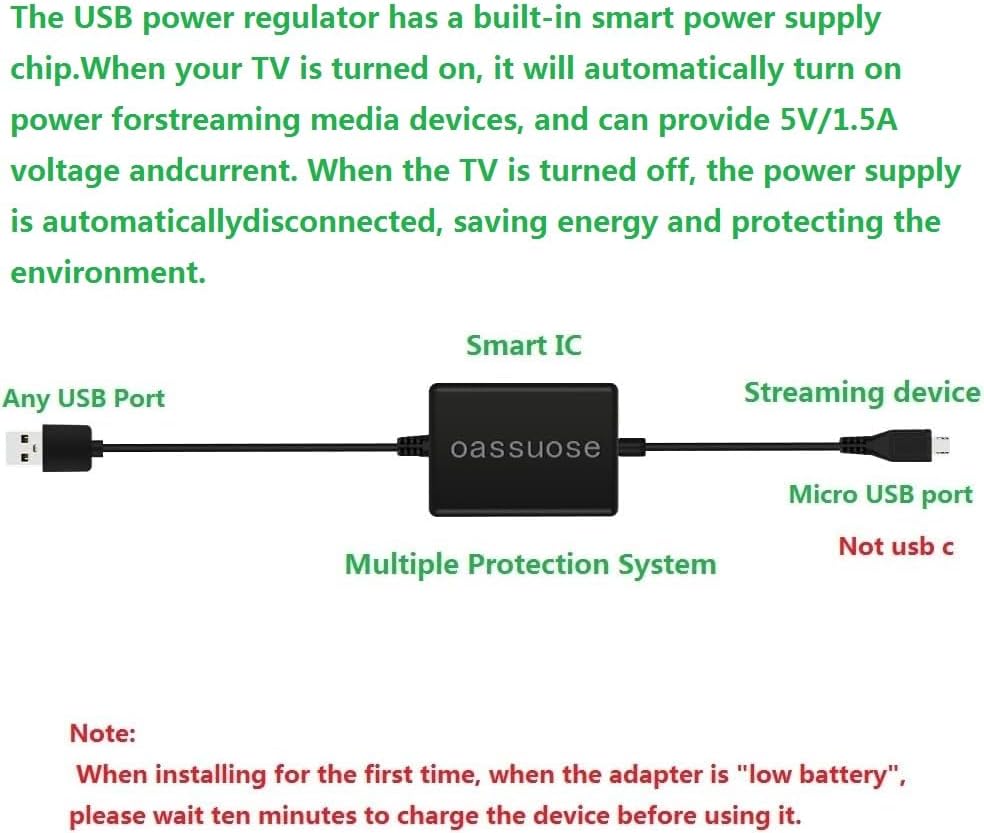
The Oassuose power multiplier provides a stable operating voltage and current for streaming media devices by multiplying the TV's USB voltage. Replacing the original power cord suspension, the AC power supply is omitted and the Smart TV Stick is powered directly from the TV's USB port. Make the space neat and clean.
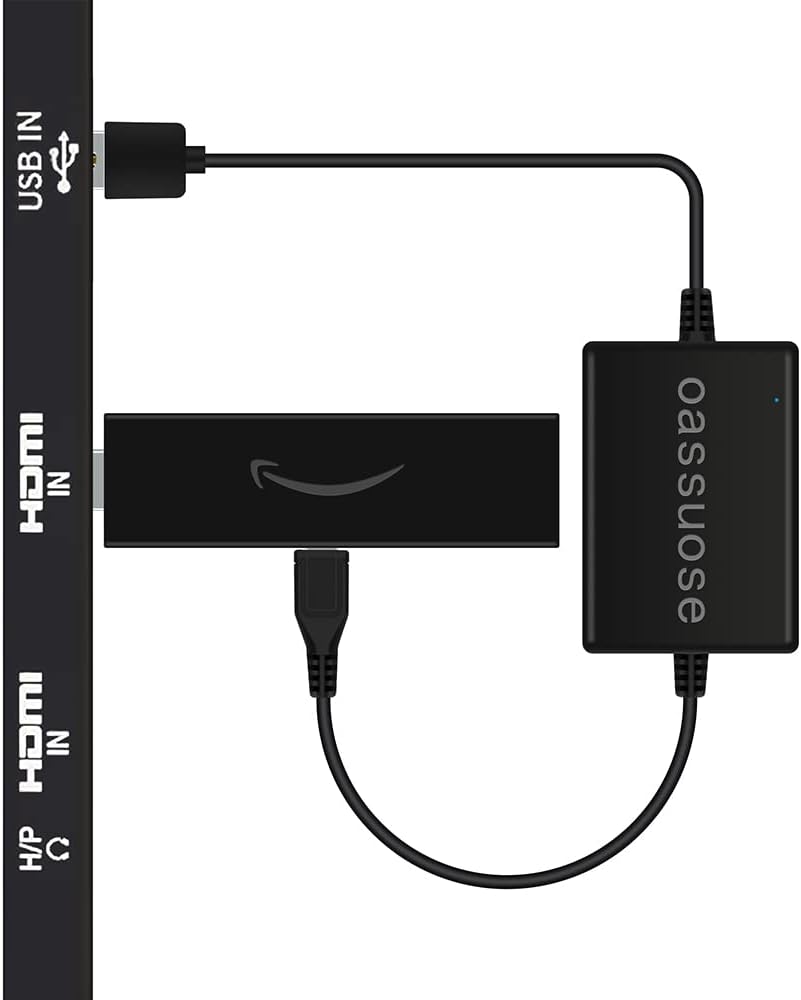
How to connect the power stabilizer to the streaming media stick?
Step 1: Insert the Micro USB male connector into the TV Stick/Chromecast female connector, making sure it is seated in place.
Step 2: Plug the Fire TV Stick/Chromecast into your TV's HDMI input.
Step 3: Plug the USB A cable into the TV's USB port (USB3.0 port supported).
Step 4: Turn on the TV, wait for the streaming stick to turn on, enter the startup screen, and enjoy high-definition picture quality.
Specifications and parameters:
Input: 5V 1A
Output: 5V 1.5A (max)
Note: When using for the first time, the battery power may be low and it will not start working immediately, please charge the device for ten minutes before use.
Note: Does not charge phones or tablets.
Compatible with the following Amazon device models:
Fire TV Stick
Fire TV Stick Lite
Fire TV Stick 4K
Fire TV Stick 4K Max
Fire TV Ultra 4K
Fire Stick 4K Ultra HD
Packing List: 1* Power Stabilizer ( Fire Stick Don't including )
After-sale service:
provides a 12-month warranty and lifetime customer support, please rest assured to buy. If you have any questions, please feel free to contact us, you will get an answer within 24 hours.
Safety Use and Warning Guidelines
To ensure your safe use of this product and enjoy its best performance, please strictly follow the following precautions:
Regarding the product's interior:
This product contains an energy storage component used to stabilize voltage. This component is sensitive to physical impact and high temperatures.
Disassembly, puncturing, impact, or forceful squeezing of the product casing is strictly prohibited.
Regarding the usage environment:
Keep away from heat sources: Do not place the product above TV vents, inside cars, or in other high-temperature environments that may exceed 40 ° C.
Ensure ventilation: Avoid completely sealing or enclosing the product in confined spaces (such as against a wall or crammed among tangled cables). It should be placed in an open, well-ventilated location.
Moisture and humidity protection: Avoid using in damp or dusty environments.
Regarding installation and storage:
During installation, do not excessively bend the cables or subject the product to external pressure.
When not in use, store in a cool, dry place, away from children and pets.
Handling abnormal situations:
If you notice any deformation, bulging, cracking, smoke, or unusual odor from the product casing, immediately stop using it and unplug all connections. Do not attempt to repair it yourself; please contact our customer service for assistance.
Following these guidelines will greatly extend the product's lifespan and ensure safe use. Your safety is our top priority.




![Magnetic for iPhone 11 Phone Case Silicone, Compatible with MagSafe, [Full Camera Protection][Screen Protector] Slim Shockproof Protective Case for iPhone 11 6.1", Chalk Pink](https://m.media-amazon.com/images/I/715DLQC3gOL._AC_SX1500_.jpg)


